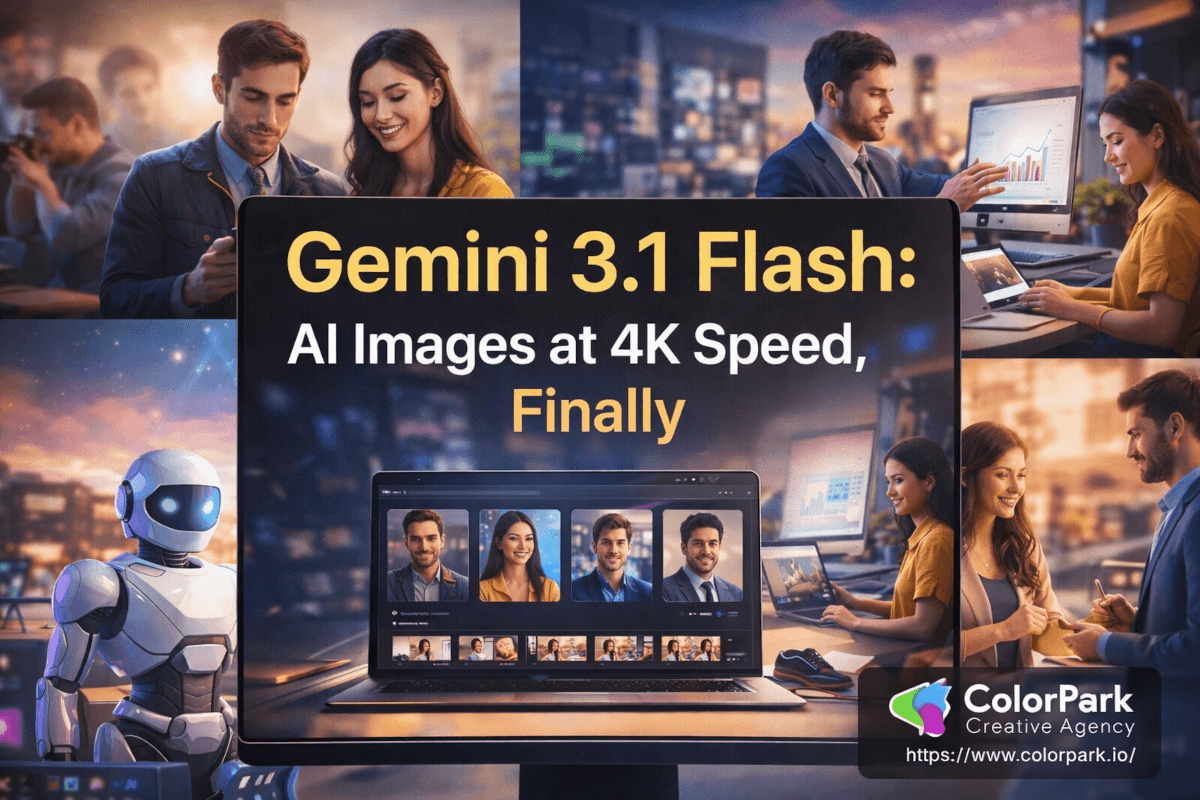
Gemini 3.1 Flash: AI Images at 4K Speed, Finally
A designer on our team generated a complete storyboard — five characters, consistent faces across fourteen scene objects, vibrant 4K renders — in the time it used to take to open the asset library and find the right stock photo.
That's not hyperbole. That's Tuesday morning with Gemini 3.1 Flash image generation.
For years, the AI image generation landscape has forced creative teams into an ugly trade-off: you could have speed, or you could have quality, but asking for both meant disappointment. The fast models gave you blurry, inconsistent outputs that needed hours of manual cleanup. The high-quality models made you wait so long your coffee went cold, and the client deadline went with it. Google just eliminated that trade-off entirely, and the ripple effects for brands, agencies, and creative teams are massive.
We've been testing this model across real client workflows — social media campaigns, brand identity explorations, pitch deck visuals, landing page hero imagery — and the results demand a serious conversation about what AI image generation means for creative production in 2026. Not the theoretical conversation everyone's been having for two years. The practical one. The one where project timelines shrink, budgets shift, and the definition of "production-ready" changes overnight.
There's a specific feature buried in this release that most coverage has completely missed. It involves real-time world knowledge, and it turns this tool from an image generator into something much closer to a visual research engine. More on that in a moment.
The Speed-Quality Problem Creative Teams Actually Face
Every agency creative director knows this pain. Monday morning standup. The client wants a social campaign by Wednesday. The brief calls for twelve unique visuals across three platforms, each with localized text for four markets. The photographer is booked for three weeks. The stock library has nothing that fits. The illustrator can deliver five pieces by Friday — if you're lucky.
So someone says, "What about AI?"
And then the team discovers the real problem. The fast AI models — the ones that can turn around images in seconds — produce output that looks like it was rendered through a dirty window. Flat lighting. Muddy textures. Characters whose faces shift between frames like a fever dream. You could spend more time fixing the output than you saved generating it.
The premium models solve the quality issue but create a new one: speed. When each image takes 30-60 seconds to generate, and you need twelve hero images across multiple aspect ratios with iterative refinement, your "AI-powered" workflow is suddenly eating most of your afternoon. Add in the inevitable re-generations when the model misinterprets your prompt, and the time savings evaporate.
This isn't a technical curiosity. This is the core reason most creative agencies have AI image tools installed on their machines but rarely use them for client-facing work. The gap between "cool demo" and "production workflow" has been wider than anyone likes to admit.
Gemini 3.1 Flash image generation closes that gap with a combination of architectural decisions that all point in the same direction: make the output good enough for production, make it fast enough for iteration, and make it smart enough to understand what creatives actually need.
What does "smart enough" look like in practice? That's where this gets genuinely interesting.
World Knowledge: The Feature Nobody's Talking About
Most AI image generators work from pattern recognition. They've seen millions of images during training, and they recombine those patterns based on your prompt. Ask for "a modern coworking space in Tokyo" and you'll get something that looks generically Japanese — paper lanterns, maybe some cherry blossoms — because the model is pulling from stereotypical associations in its training data.
Gemini 3.1 Flash does something fundamentally different. It integrates Google's real-time knowledge base and web search into the generation pipeline.
What does that actually mean for creative work? It means when you prompt for "a modern coworking space in Tokyo," the model can reference actual coworking spaces in Tokyo — current ones, with the architectural styles and interior design trends that are happening right now, not patterns frozen in 2023 training data.
But the implications go far beyond reference accuracy. World knowledge integration opens up an entirely new category of visual content: data-grounded imagery.
Infographics with accurate data points. Diagrams that reflect real-world systems. Visualizations that incorporate up-to-date statistics. Marketing materials that reference real events, real places, real cultural moments — all generated directly, without a separate research-and-design pipeline.
For brand teams working on social content, this is a paradigm-level shift. Trending topic posts that used to require a designer to research the topic, source relevant imagery, and composite the visual can now be generated in a single prompt. The model already knows what's happening in the world. It brings that context into the image.
ColorPark tested this on a social media campaign for a travel client. We prompted for "the new observation deck at [specific building], golden hour lighting, seen from street level." Previous generators would have given us a generic skyline. Gemini 3.1 Flash produced imagery that reflected the actual architecture — because it could reference current information about the building.
Is every generation perfectly accurate? No. Real-time knowledge integration is still early, and we saw occasional blending of details from different sources. But the directional accuracy is miles ahead of any model that's working purely from static training data, and for social content and pitch visuals, "directionally accurate with the right feel" is exactly the bar that matters.
That said, the feature that had our production team most excited was something else entirely.
Subject Consistency: Five Characters, One Story, Zero Drift
Character consistency has been the white whale of AI image generation. Every creative team that's tried to use AI for storyboarding, brand campaigns with recurring characters, or any multi-image narrative has hit the same wall: the character looks different in every frame. Hair color shifts. Facial structure morphs. The character in frame three barely resembles the character in frame one.
Gemini 3.1 Flash handles this with a consistency engine that maintains resemblance across up to five characters simultaneously while tracking fidelity for up to fourteen objects in a single workflow.
Let ColorPark translate those numbers into practical terms.
Five consistent characters means a brand mascot, a spokesperson persona, and their supporting cast can appear across an entire campaign without manual correction. A storyboard for a product video can feature a protagonist who looks the same from scene one to scene twelve. A children's brand can develop character-driven packaging where the character on the cereal box matches the character on the website matches the character in the social ads.
Fourteen consistent objects means the product, the environment, and the props all maintain their appearance across frames. A sneaker campaign where the shoe looks identical from the hero shot to the lifestyle image to the detail close-up — generated, not photographed.
Our team tested this on a mock brand identity project: a fictional coffee company with two spokesperson characters, a signature cup design, and a flagship store interior. We generated the following in a single workflow session:
- Hero homepage image (both characters in the store)
- Three social media posts (each character solo, different settings)
- Product detail shot (cup close-up with consistent branding)
- Team page photo (both characters in a candid moment)
- Email header (store interior, no characters)
Every image maintained visual continuity. The characters' features, clothing, and proportions stayed stable. The cup design was recognizable across contexts. The store interior kept its architectural details consistent.
Were there minor variations? Yes — one character's jacket shifted slightly in saturation between two frames. But the kind of complete identity meltdown that plagued earlier models? Gone. For pitch presentations and concept work, this level of consistency is production-ready right now.
And when you combine subject consistency with the next feature — production-grade resolution — the use cases multiply fast.
4K Resolution and Custom Aspect Ratios: Built for Real Deliverables
Here's something that separates creative professionals from casual AI image users: we don't just need "an image." We need an image at exactly 1080×1350 pixels for Instagram portrait, 1920×1080 for YouTube thumbnails, 2560×1440 for desktop hero sections, and 1284×2778 for iPhone screenshots. Same visual concept, five different crops and compositions. And every single one needs to be crisp enough to survive compression artifacts.
Previous AI image models offered limited resolution options — often maxing out at 1024×1024 — and treated aspect ratio selection as an afterthought. Gemini 3.1 Flash supports resolutions from 512 pixels up to full 4K, with complete control over aspect ratios.
For creative production workflows, this means:
Social media campaigns no longer require post-generation cropping that butchers composition. Generate directly in the platform's native ratio. An Instagram carousel where each card is generated at the correct 1080×1080 with the subject properly centered — not cropped from a wider image.
Web design assets can be generated at the exact dimensions specified in the design system. Hero images at 2560×1440 for retina displays. Thumbnail grids at 640×480. OG images at 1200×630. Each format composed intentionally, not resized.
Print-adjacent work — pitch decks, brand books, presentation materials — benefits from 4K generation that maintains detail at large display sizes. When the projection screen is twelve feet wide, resolution matters.
Video production thumbnails and storyboard frames can be generated at 16:9 directly, with compositions that account for text overlay zones and platform UI elements.
The resolution and aspect ratio control sounds incremental on paper. In practice, it eliminates an entire step from the production pipeline — the "resize and fix the composition" step that eats 15-20 minutes per asset.
Multiply that across a campaign with 40 assets, and the time savings fund the AI subscription ten times over.
Text Rendering: The Detail That Unlocks Marketing Content
AI-generated images with text in them have historically been a disaster. Gibberish characters. Misspelled words. Letters that dissolve into abstract shapes at the edges. The running joke in creative communities was that AI could generate photorealistic humans but couldn't spell "COFFEE" on a coffee cup.
Gemini 3.1 Flash doesn't just improve text rendering — it adds translation and localization support.
Generate a promotional banner in English, then regenerate it in Spanish, Mandarin, and Arabic. The layout adapts. The text renders legibly. The typography maintains appropriate character forms for each script.
For global brands, this capability compresses a workflow that currently involves:
- Designer creates the English version
- Translation team provides copy in target languages
- Designer manually resets each language version (often rebuilding layouts for right-to-left scripts)
- Multiple review rounds per language
Into a single-prompt-per-language workflow where the model handles both translation and visual composition.
ColorPark tested this on a mock product launch — a skincare brand social ad translated across English, French, Japanese, and Arabic. The English and French outputs were excellent: legible, well-composed, stylistically consistent. Japanese was good with minor kerning issues. Arabic rendered with correct right-to-left flow, though the calligraphic style was simpler than a native typographer would produce.
Is this replacing professional localization teams for Tier 1 brand campaigns? Not yet. But for speed-to-market social content, internal presentations, and rapid-fire A/B testing of localized creatives? The quality bar has been cleared.
Pro tip: For best text rendering results, keep copy short — headlines and taglines perform dramatically better than body text. Specify the exact text in your prompt rather than letting the model generate its own copy.
What This Means for Creative Production Budgets
ColorPark tracks production metrics obsessively, and we ran the numbers on what Gemini 3.1 Flash integration would mean for a typical mid-size brand campaign.
Traditional workflow (12 hero visuals, 4 language variants, 3 platform sizes):
- Photography/illustration: 3-5 days
- Post-production: 2-3 days
- Localization and adaptation: 2 days
- Total: 7-10 business days, budget of $8,000-15,000
AI-augmented workflow with Gemini 3.1 Flash:
- Prompt development and generation: 1 day
- Human review and refinement: 1 day
- Localization generation: 0.5 days
- Total: 2-3 business days, budget of $2,000-4,000 (including subscription costs and designer time)
Those numbers aren't projections. They're based on the mock campaigns we ran during testing. The time compression alone changes which projects are viable. Campaigns that couldn't justify the production budget at $12,000 become feasible at $3,000. Brands that needed four weeks of lead time can now execute in one.
The honest caveat: these savings apply most directly to digital-first content. High-end print campaigns, luxury brand photography, and editorial work still benefit from human craft that AI hasn't replicated — the subtle imperfections, the editorial eye, the physical presence of real products and environments. AI augments the bottom 80% of production work, freeing human creatives to focus on the top 20% where their taste and judgment matter most.
Where Gemini 3.1 Flash Falls Short (Creative Teams Should Know This)
ColorPark doesn't recommend tools without testing their edges, and Gemini 3.1 Flash has real limitations creative teams should understand.
Complex scene composition. When prompts involve more than 5-6 interacting elements with specific spatial relationships ("the red cup is on the third shelf from the top, behind the blue book, with the plant to its left"), accuracy drops. The model handles broad scene descriptions well but struggles with precise spatial placement.
Brand-specific style matching. Asking the model to match an established brand's exact visual style — a specific illustration style, a particular photographic treatment — requires significant prompt engineering. Out of the box, the model has a recognizable aesthetic default. Overriding it takes effort.
Photorealistic hands and fine motor detail. Improved, but still the weakest area of AI image generation across all models. For lifestyle imagery where hands are prominent, expect to need manual touchups or strategic cropping.
Ethical and legal gray areas. Generating images of real people, trademarked products, or copyrighted characters remains legally uncertain. Creative teams should establish clear policies about when AI-generated imagery is and isn't appropriate, particularly for client-facing deliverables.
Consistency across sessions. While subject consistency within a single workflow is excellent, resuming a character design in a new session can introduce drift. For multi-week campaigns, establish reference images early and include them in every subsequent prompt session.
None of these are dealbreakers. All of them are the kind of details that separate teams who use AI image generation successfully from teams who try it once, hit an edge case, and give up.
What Smart Creative Teams Do Next
The brands that gain the most from AI image generation aren't the ones who use it to replace their creative process. They're the ones who use it to compress their creative process — moving faster through exploration, generating more options, testing ideas that would have been too expensive to prototype before.
Here's what ColorPark recommends for creative teams evaluating Gemini 3.1 Flash:
Start with internal work, not client deliverables. Use the tool for pitch concepts, mood boards, internal presentations, and exploration. Build comfort and prompt fluency before generating assets that carry your client's brand.
Develop prompt templates for recurring needs. Social media posts in specific formats, product mockups with consistent staging, hero images at standard resolutions. Template prompts dramatically reduce iteration cycles.
Pair AI generation with human curation. The model generates options. A human creative director selects, refines, and approves. This workflow produces better results than either fully manual or fully automated approaches.
Track what you're saving. Measure the hours and dollars redirected from production work to strategic creative thinking. That data justifies expanded investment and helps leadership understand the ROI.
Stay honest about limitations. Nothing erodes client trust faster than presenting AI-generated work as something it isn't. Transparency about tools used — when appropriate — actually builds credibility in 2026.
The creative industry spent the last three years asking whether AI image generation was ready. Gemini 3.1 Flash isn't a perfect answer. But it's the first answer that respects both speed and quality — and for creative teams under perpetual deadline pressure, that balance might be the only thing that matters.
The question isn't whether this tool belongs in your creative workflow. The question is what you'll do with the hours it gives back.
🎨 Let's Create Something Bold
Ready to transform your brand's visual identity? ColorPark crafts designs that convert.
- 🚀 Start Your Project: colorpark.io/contact
- 📧 Email: hello@colorpark.io
- 📞 Phone: +880 1723-741224
- 🌐 View Portfolio: colorpark.io/projects
Part of the Mejba Ahmed brand family: mejba.me • ramlit.com • xcybersecurity.io

Share Your Thoughts
Your email won't be published. We welcome your feedback, questions, or suggestions.