
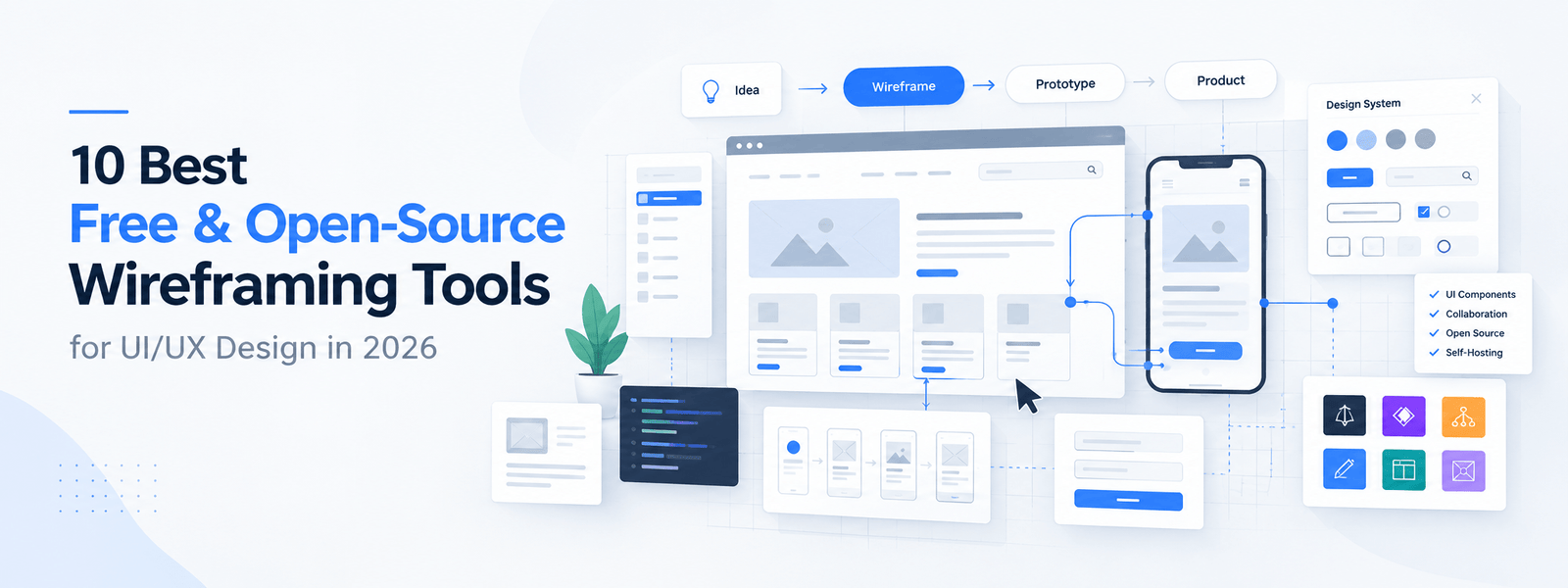
10 Best Free & Open-Source Wireframing Tools for UI/UX Design in 2026
Last Updated: September 2026
Creating a website or app without planning its structure first can lead to expensive revisions, confusing user experiences, and unnecessary development work. That's why wireframing is an important part of the UI/UX design process.
A wireframe provides a visual blueprint of a digital product. It helps designers, developers, clients, and stakeholders understand the placement of navigation, buttons, content, forms, images, and other interface elements before detailed visual design begins.
The good news is that you don't necessarily need expensive design software to create professional wireframes. There are now many free and open-source wireframing tools available for designers, developers, startups, students, and product teams.
In this guide, we'll explore the 10 best free and open-source wireframing tools in 2026, their key strengths, ideal use cases, and what you should consider before choosing one.
What Is a Wireframing Tool?
A wireframing tool is software used to create a simplified visual representation of a website, mobile app, or digital product.
Instead of concentrating on colors, typography, photography, animations, or branding, wireframes focus on the structure and functionality of an interface.
A typical wireframe may show:
- Navigation menus
- Headers and footers
- Buttons and calls to action
- Content sections
- Image placeholders
- Forms
- Search boxes
- Cards
- Sidebars
- User-flow elements
Wireframes allow teams to test ideas and identify structural or usability problems before investing significant time in high-fidelity UI design and development.
Why Use Free or Open-Source Wireframing Tools?
Free and open-source tools can be particularly useful when you're working with a limited budget or want greater control over your design workflow.
1. Lower Design Costs
Free tools can help freelancers, students, startups, and small businesses reduce software expenses.
2. Faster Idea Validation
Wireframes allow you to test page structures and user flows before development begins.
3. Better Team Communication
A wireframe gives designers, developers, clients, and stakeholders a common visual reference.
4. More Control Over Your Data
Some open-source tools support self-hosting, allowing organizations to maintain greater control over project files and infrastructure.
5. Customization
Open-source software can provide developers with opportunities to customize or extend the tool according to their workflow.
6. Less Expensive Experimentation
You can explore multiple layouts and product concepts without committing to expensive software subscriptions.
10 Best Free & Open-Source Wireframing Tools
The following tools cover different needs—from quick sketches and brainstorming to detailed UI design, prototyping, and UX research.
1. Penpot
Best for: Professional UI/UX design, product teams, open-source workflows, and Figma alternatives.
Penpot is one of the strongest choices for designers looking for an open-source design platform.
It supports wireframing, interface design, interactive prototypes, components, design systems, and collaborative workflows. Penpot also supports self-hosting, which can be particularly useful for organizations that want more control over their design environment.
Key Features
- Open-source design platform
- Browser-based workflow
- Real-time collaboration
- UI components
- Interactive prototypes
- Design systems
- CSS Grid and Flexbox support
- Developer-focused workflows
- Self-hosting capability
Best For
Penpot is a strong choice for:
- UI/UX designers
- Product teams
- Startups
- Developers
- Organizations looking for open-source design software
If you want an open-source alternative to traditional commercial UI design platforms, Penpot is one of the first tools worth testing.
2. Figma
Best for: General-purpose wireframing, collaborative design, prototyping, and professional UI/UX workflows.
Figma is not open source, but its free tier makes it one of the most accessible wireframing and UI design platforms available.
It combines wireframing, UI design, prototyping, collaboration, and developer handoff in one browser-based environment.
The free plan has limitations, but it provides enough functionality for many individual designers and small projects.
Key Features
- Browser-based design
- Real-time collaboration
- Wireframing
- Interactive prototypes
- Components and variants
- Design systems
- Developer handoff
- Plugins and integrations
- Desktop applications
Best For
Figma is particularly useful for:
- Freelancers
- UI/UX designers
- Product designers
- Design teams
- Client collaboration
- High-fidelity prototypes
For users who prioritize a mature ecosystem and collaborative design experience over open-source licensing, Figma remains a strong option.
3. Excalidraw
Best for: Brainstorming, quick sketches, early-stage wireframes, and collaborative whiteboarding.
Excalidraw takes a deliberately simple approach to visual communication.
Its hand-drawn visual style makes it useful during the early stages of product development, when the goal is to communicate an idea rather than create a polished interface.
Key Features
- Simple interface
- Sketch-style visuals
- Real-time collaboration
- Whiteboarding
- Quick wireframes
- Diagram creation
- Open-source project
Best For
Use Excalidraw when you need to:
- Brainstorm a product idea
- Explain a user flow
- Sketch a page layout
- Discuss concepts with a team
- Create low-fidelity wireframes quickly
Its simplicity is also its biggest advantage. You can focus on the idea instead of getting distracted by visual details.
4. diagrams.net
Best for: Simple wireframes, flowcharts, technical diagrams, and information architecture.
diagrams.net—formerly known as Draw.io—is primarily a diagramming application, but it can also be used to create basic wireframes.
It provides a large collection of shapes and diagram components and works well for technical teams that need both diagrams and simple interface layouts.
Key Features
- Free core functionality
- Open-source
- Browser-based
- Desktop support
- Wireframe shapes
- Flowcharts
- UML diagrams
- Mind maps
- Cloud-storage integrations
Best For
diagrams.net is a good option for:
- Developers
- Technical teams
- Information architects
- Simple website wireframes
- Flow diagrams
- User journeys
It may not provide the specialized UI workflow of a dedicated interface-design application, but its flexibility makes it useful for many planning tasks.
5. Pencil Project
Best for: Offline wireframing and desktop-based design.
Pencil Project is an open-source desktop wireframing application designed for creating mockups and interface layouts.
Unlike cloud-first design applications, Pencil Project can be used offline, making it useful when internet access or cloud storage is not desirable.
Key Features
- Open-source
- Offline workflow
- Desktop application
- UI stencils
- Wireframe components
- Mockup creation
- Export capabilities
- Windows, macOS, and Linux support
Best For
Pencil Project can work well for:
- Beginners
- Students
- Offline workflows
- Desktop users
- Basic website wireframes
- Simple application mockups
Its interface is less modern than some newer design platforms, but its offline and open-source nature remains valuable.
6. Wireflow
Best for: User flows, navigation planning, and information architecture.
Wireflow approaches wireframing from a different perspective.
Instead of focusing primarily on individual interface screens, it helps visualize how users move through a digital product.
This makes it particularly useful during UX planning.
Key Features
- User-flow mapping
- Navigation planning
- Customer journey visualization
- UX planning
- Collaborative workflows
- Visual flow creation
Best For
Wireflow can be useful when you need to:
- Map website navigation
- Plan application journeys
- Visualize user interactions
- Explain complex workflows
- Organize information architecture
It can also be combined with another wireframing tool when detailed screen designs are required.
7. Quant-UX
Best for: Interactive prototypes and usability testing.
Quant-UX combines wireframing, prototyping, and usability testing.
This makes it particularly interesting for UX researchers and product teams that want to go beyond static wireframes.
Key Features
- Wireframing
- Interactive prototypes
- User testing
- Click tracking
- Heatmaps
- UI design
- Collaboration
Best For
Quant-UX is useful for:
- UX researchers
- Product designers
- Usability testing
- Interactive prototypes
- Early product validation
Instead of simply asking whether a layout looks good, teams can use interactive prototypes to investigate how users actually interact with an interface.
8. Wireframe.cc
Best for: Fast and minimalist low-fidelity wireframes.
Wireframe.cc focuses on simplicity.
Its minimalist interface is designed to reduce distractions and help users quickly create basic wireframes.
Key Features
- Browser-based
- Minimal interface
- Quick wireframing
- Low-fidelity design
- Shareable wireframes
- Simple workflow
Best For
Wireframe.cc is suitable for:
- Quick concepts
- Early-stage UX planning
- Simple web layouts
- Rapid wireframe sketches
- Designers who prefer minimal interfaces
The free version is more limited than some of the full-featured platforms, so it is best suited to smaller or simpler wireframing tasks.
9. Miro
Best for: Team brainstorming, workshops, user journeys, and collaborative wireframing.
Miro is primarily a collaborative online whiteboard rather than a dedicated wireframing application.
However, its wireframe templates, diagramming features, sticky notes, and collaborative canvas make it useful for early-stage product design.
Key Features
- Online whiteboard
- Real-time collaboration
- Wireframe templates
- Mind maps
- User-flow diagrams
- Brainstorming
- Workshop tools
- Integrations
Best For
Miro works particularly well for:
- Product workshops
- Design thinking
- UX brainstorming
- Remote teams
- User journeys
- Early product planning
It is especially useful when wireframing is part of a broader collaborative discovery process.
10. Whimsical
Best for: Simple collaborative wireframes, diagrams, and product brainstorming.
Whimsical combines wireframing, flowcharts, mind maps, and collaborative visual thinking.
Its clean interface makes it easy to create wireframes without dealing with the complexity of a full-scale visual design application.
Key Features
- Wireframing
- Flowcharts
- Mind maps
- Collaborative boards
- UI components
- Templates
- AI-assisted brainstorming features
Best For
Whimsical is a good option for:
- Product managers
- UX designers
- Startup teams
- Brainstorming sessions
- Simple website wireframes
- User-flow planning
Quick Comparison of the Best Wireframing Tools
| Tool | Free Option | Open Source | Collaboration | Prototyping | Best For |
|---|---|---|---|---|---|
| Penpot | Yes | Yes | Yes | Yes | Professional UI/UX |
| Figma | Yes | No | Yes | Yes | All-around design |
| Excalidraw | Yes | Yes | Yes | Basic | Brainstorming |
| diagrams.net | Yes | Yes | Limited/varies | Limited | Diagrams & basic wireframes |
| Pencil Project | Yes | Yes | No | Basic | Offline wireframing |
| Wireflow | Yes | Open-source project | Yes/varies | Flow-focused | User flows |
| Quant-UX | Yes | Open-source | Yes | Yes | UX testing |
| Wireframe.cc | Yes | No | Limited | Limited | Quick wireframes |
| Miro | Yes | No | Yes | Basic | Workshops & collaboration |
| Whimsical | Yes | No | Yes | Basic | Simple collaborative wireframes |
Note: Free-plan limits, features, licensing, and availability can change. Always verify the current plan and licensing information before selecting a tool for a commercial or enterprise workflow.
Free vs Open-Source Wireframing Tools: What's the Difference?
The terms free and open source are often used together, but they don't mean exactly the same thing.
Free Software
A free tool allows you to use some or all of its functionality without paying.
However, the software may still be proprietary. You generally don't have access to or control over its source code.
Open-Source Software
Open-source software makes its source code available under an open-source license.
Depending on the license, users may be able to:
- Inspect the source code
- Modify the software
- Contribute improvements
- Self-host the application
- Build integrations
- Adapt the software to specific workflows
Therefore, an open-source wireframing tool can offer advantages beyond simply having a $0 price.
What Should You Look for in a Wireframing Tool?
Choosing the right wireframing software depends on your project and workflow.
Here are the most important factors to consider.
1. Ease of Use
A good wireframing tool should allow you to turn ideas into layouts quickly.
If the interface is unnecessarily complicated, you'll spend more time learning the software than designing.
2. Collaboration
If multiple people work on your projects, look for features such as:
- Real-time editing
- Comments
- Sharing
- Permissions
- Version history
3. Prototyping
If you need to demonstrate how users move through your interface, interactive prototyping can be extremely useful.
4. UI Components
Reusable buttons, forms, cards, menus, and navigation components can significantly speed up the wireframing process.
5. Export Options
Check whether the tool supports the formats you need, such as:
- PNG
- SVG
- HTML
- Other project-specific formats
6. Self-Hosting
Self-hosting can be important for organizations that require greater control over their data and infrastructure.
7. Platform Support
Consider whether you need:
- Browser access
- Windows
- macOS
- Linux
- Mobile preview
8. Integration
Professional workflows often involve multiple applications. Check whether your chosen tool integrates with your existing design, development, project-management, or cloud-storage systems.
How to Choose the Best Wireframing Tool for Your Needs
There is no single wireframing tool that is perfect for everyone.
For Professional UI/UX Design
Choose Penpot or Figma.
These platforms provide more comprehensive design and prototyping capabilities.
For Open-Source Design
Choose Penpot.
It provides a strong combination of interface design, collaboration, prototyping, and self-hosting.
For Brainstorming
Choose Excalidraw or Miro.
Both are useful when the goal is to quickly visualize ideas with a team.
For Offline Design
Choose Pencil Project.
It is particularly useful when you prefer a desktop-based workflow.
For User Flows
Choose Wireflow.
It focuses more directly on navigation and user journeys.
For UX Testing
Choose Quant-UX.
Its combination of prototypes and usability-testing capabilities makes it valuable for research-driven workflows.
For Simple Wireframes
Choose Wireframe.cc or diagrams.net.
Both can be useful when you need to create straightforward layouts without a large design system.
Open-Source vs Proprietary Wireframing Software
Both approaches have advantages.
| Factor | Open Source | Proprietary |
|---|---|---|
| Cost | Often free | Free or paid |
| Source code | Available | Usually closed |
| Customization | High potential | Usually limited |
| Self-hosting | Often available | Less common |
| Collaboration | Depends on tool | Often mature |
| Integrations | Varies | Often extensive |
| Community | Project-dependent | Vendor-supported |
| Data control | Potentially high | Depends on provider |
Open-source software can be especially attractive for organizations that prioritize control, privacy, customization, and long-term flexibility.
Commercial software can be preferable when you need a mature ecosystem, extensive integrations, dedicated support, or advanced enterprise features.
Why Wireframing Matters Before Development
Skipping wireframing can create problems later in the development process.
A wireframe helps teams answer important questions early:
- Is the navigation logical?
- Is the content hierarchy clear?
- Are important calls to action easy to find?
- Does the user journey make sense?
- Are important features missing?
- Is the page structure appropriate for mobile devices?
- Does the proposed interface meet business requirements?
Fixing these issues during the wireframing stage is generally easier than discovering them after development has already begun.
Wireframing therefore acts as a bridge between ideas, UX strategy, visual design, and development.
Final Thoughts
The best wireframing tool depends on your workflow rather than simply the number of features it provides.
If you're looking for a powerful open-source design platform, Penpot is one of the strongest choices. For fast brainstorming, Excalidraw is excellent. diagrams.net is useful for technical diagrams and basic wireframes, while Pencil Project remains a practical option for offline desktop work.
For broader collaborative design workflows, Figma, Miro, and Whimsical are worth considering. Meanwhile, Wireflow and Quant-UX become particularly useful when user journeys and usability testing are important parts of your process.
The best approach is to identify your project's requirements first—such as collaboration, prototyping, self-hosting, offline access, usability testing, and export options—and then choose the tool that matches your workflow.
A good wireframe doesn't need to look beautiful. Its primary purpose is to make the structure, user experience, and product idea clear before development begins.
Frequently Asked Questions
What is the best free wireframing tool in 2026?
There isn't one universal winner. Figma is a strong all-around option for collaborative UI/UX design, while Penpot is particularly attractive for users who want an open-source platform. Excalidraw is better suited to quick sketches and brainstorming.
What is the best open-source wireframing tool?
Penpot is one of the strongest open-source options because it combines UI design, wireframing, prototyping, collaboration, and self-hosting capabilities.
Can I create wireframes without paying?
Yes. Several tools provide free functionality, including Penpot, Figma, Excalidraw, diagrams.net, Pencil Project, Wireframe.cc, Miro, and Whimsical. However, free-plan limits vary.
Is Figma open source?
No. Figma is proprietary software, although it provides a free plan with substantial functionality for wireframing and UI/UX design.
Are open-source wireframing tools safe?
Open-source software can provide greater transparency and, in some cases, self-hosting capabilities. However, security depends on the individual project, its maintenance, deployment practices, dependencies, and how you configure it.
Can wireframing tools be used for mobile apps?
Yes. Many modern wireframing platforms support mobile interface layouts and responsive design workflows. Tools such as Penpot and Figma can be used for both web and mobile product design.
Should I use a wireframe or prototype?
Use a wireframe when you primarily need to communicate structure and layout. Use a prototype when you need to demonstrate interactions, navigation, or user flows.
Related Resources
For additional research and comparison, see:
- 10 Free-to-Use Wireframing Tools for UX Designers in 2026 — Interaction Design Foundation (IxDF)
- 8 Best Open Source Wireframe Tools for UI/UX Design — Design Monks
These resources provide additional perspectives on free and open-source wireframing software and can help readers compare tools based on their specific design requirements.
SEO Metadata
SEO Title: 10 Best Free & Open-Source Wireframing Tools for UI/UX Design in 2026
Meta Description: Discover the 10 best free and open-source wireframing tools for UI/UX design in 2026. Compare features, collaboration, prototyping, self-hosting, and use cases.
Suggested URL Slug:
/best-free-open-source-wireframing-tools/
Primary Keyword:
free wireframing tools
Secondary Keywords:
- best wireframing tools
- open-source wireframing tools
- free wireframe tools
- UI/UX wireframing tools
- website wireframe tools
- mobile app wireframing tools
- wireframe software
- open-source UI/UX tools
- free UX design tools
- wireframe tools for designers

Share Your Thoughts
Your email won't be published. We welcome your feedback, questions, or suggestions.